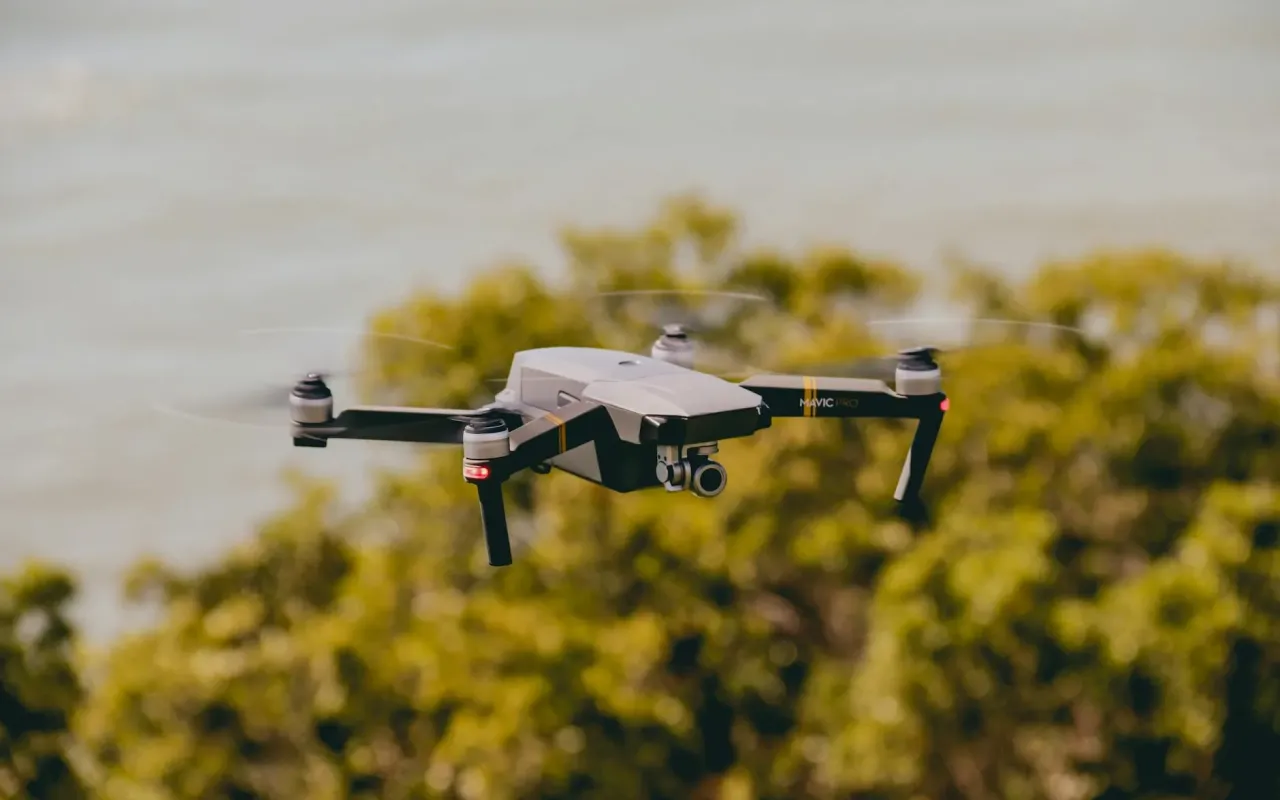
Avoid costly mistakes with your first drone purchase. This guide reveals the real-world factors beginners overlook, from budget to flight time.
- May 19, 2026
AceShowbiz - You've seen the breathtaking aerial shots on Instagram—sweeping landscapes, beach sunsets, and action shots that make everyday life look cinematic. Then you checked the price tag on a DJI Mini 4 Pro and thought, "Maybe I can just start with something cheap." I did the same thing three years ago. I bought a $50 drone from a random brand I'd never heard of. It flew for exactly 45 seconds before a gust of wind sent it into a neighbor's tree. That drone now sits in a drawer, a $50 reminder that buying your first drone is less about the gadget and more about understanding what you're actually paying for.
The drone market has exploded—there are over 300 consumer drone models available in 2026, ranging from $30 toys to $2,000 professional tools. The problem? Most beginners pick the wrong one. They either overspend on features they'll never use or underspend on something that can't handle a light breeze. This guide cuts through the marketing spin and tells you exactly what matters for your first drone purchase, no fluff.
The Three Questions You Must Answer Before Spending a Dollar
Before you even open Amazon or Best Buy, sit down and answer three questions honestly. Your answers will filter out 80% of the wrong drones instantly. First, what do you actually want to shoot? If it's just for fun—flying around a park with friends—you don't need a 4K camera. A 1080p camera with basic stabilization is fine. If you want to create content for social media or YouTube, you need at least 4K at 30fps with decent dynamic range, which usually means spending over $500.
Second, where do you live and fly? This is the most overlooked factor. If you're in a city with strict no-fly zones (like Washington D.C., London, or San Francisco), many drones won't even let you take off. The DJI Fly app, for example, automatically geo-fences restricted areas. If you live near an airport, you might be grounded entirely. Conversely, if you're in a rural area with open fields, you have more flexibility. Third, what's your actual budget for the whole setup? The drone itself is just the start. You'll need extra batteries (each gives 20-30 minutes of flight), a carrying case, microSD cards, and possibly propeller guards. A $300 drone can easily become a $500 investment after accessories.
Practical tip: Write down your top three use cases (e.g., "travel vlogging," "backyard flying with kids," "real estate photos for side hustle"). If you can't name three, you're not ready to buy. This prevents impulse purchases based on a single cool video you saw online.
Camera Quality: Megapixels Don't Tell the Whole Story
Every drone ad screams "48MP camera!" or "4K video!" but the sensor size matters far more than megapixels. A 12MP sensor on a larger 1-inch sensor will produce cleaner, more detailed images than a 48MP sensor crammed into a tiny 1/2.3-inch sensor. Think of it like this: megapixels are the number of buckets collecting light, but the sensor size is the size of each bucket. More buckets aren't helpful if each bucket is tiny and can't hold enough light.
For beginners, the sweet spot is a 1/2-inch sensor with 12-20MP and 4K video at 30fps. The DJI Mini 3 has exactly this setup, and it's one of the best entry-level cameras because it handles low-light situations decently. Avoid drones with "4K" that only shoot at 15fps—that's marketing trickery. Real 4K requires at least 24fps for smooth video, and 30fps is the standard for cinematic footage. Also, check if the camera has mechanical stabilization (gimbal) versus electronic stabilization (EIS). Gimbal stabilization is far superior because it physically moves the camera to counteract drone movement. EIS crops the image and can cause jello-like distortion in wind.
Here's a real-world scenario: You're flying over a beach at sunset. The sky is bright orange, but the sand and water are darker. A drone with good dynamic range (the ability to see details in both bright and dark areas) will capture both without blowing out the sky or turning the sand into a black blob. Budget drones under $200 often have terrible dynamic range, so your sunset shots will look like a washed-out phone photo from 2012. Spend at least $400 to get decent dynamic range, or accept that your footage will look amateurish.
Actionable takeaway: Check YouTube reviews for the specific drone model you're considering. Search for "low light test" and "wind test" for that model. If the footage looks shaky or grainy in normal conditions, move on. Don't rely on manufacturer sample footage—they shoot in perfect conditions.
Flight Time and Battery Life: The 20-Minute Lie
Every drone claims 30 minutes of flight time. In reality, you'll get 18-22 minutes on a good day. The advertised time is measured in perfect conditions—no wind, hovering at a fixed altitude, with a fully charged battery and no camera recording. As soon as you fly in a breeze, record video, or move aggressively, that time drops. A 10 mph wind can cut flight time by 25% because the drone works harder to stay stable.
This is why buying extra batteries isn't optional—it's mandatory. A single battery gives you roughly 15-20 minutes of usable flight time after you account for takeoff, landing, and positioning. If you're shooting a location, you'll burn through a battery just framing the first shot. Most serious beginners buy at least two extra batteries, which adds $100-$200 to the total cost. The DJI Mini 3 uses intelligent batteries that show remaining flight time in the app, but even then, the countdown is optimistic. When the app says 5 minutes left, you have about 3 minutes before the drone auto-lands.
Another hidden factor: battery degradation. Lithium-ion batteries lose capacity after 100-200 charge cycles. If you buy a used drone, the battery might already be at 70% of its original capacity. Always check the battery health in the drone's app if buying used. And never store batteries fully charged or fully drained—keep them at 50% for long-term storage to maximize lifespan.
Practical tip: Budget for at least two extra batteries and a portable charger. The Anker PowerCore battery bank can charge drone batteries in the field, which is a lifesaver on road trips. Also, learn to fly efficiently—avoid hovering unnecessarily and use sport mode only when you need it, as it drains battery faster.
Weight Class and Registration: The Legal Minefield
In the U.S., the FAA requires registration for any drone weighing over 0.55 pounds (250 grams). This is a hard limit that many beginners accidentally cross. The DJI Mini 3 weighs exactly 248 grams, so it's under the limit and doesn't require registration for recreational use. But the moment you add propeller guards, a landing pad, or a larger battery, you might exceed 250 grams. In Europe, the rules are even stricter—drones over 250 grams require an operator ID and an online test.
Why does this matter? If you fly an unregistered drone over 250 grams, you could face fines up to $27,500 in the U.S. That's not a typo. The FAA has been actively enforcing this since 2026, with multiple cases of hobbyists getting fined for flying without registration. Registration costs $5 and lasts 3 years, so it's not about the money—it's about knowing the rules. Also, many national parks, state parks, and city parks ban drones entirely, regardless of weight. Flying in a no-fly zone can result in confiscation of your drone and a trespassing charge.
There's also the issue of "remote ID." As of September 2026, the FAA requires most drones to broadcast their location and serial number while flying. Newer drones like the DJI Mini 4 Pro have built-in Remote ID. Older models might need an external module. If you buy a used drone from 2022 or earlier, check if it's Remote ID compliant. Flying without it in controlled airspace is illegal.
Actionable takeaway: Before buying, check the B4UFLY app (FAA's official app) for your typical flying locations. If you live within 5 miles of an airport, you'll need to request LAANC approval for every flight. That's a hassle you might not want. Consider a sub-250g drone if you want the least legal friction.
Controller and Transmission: Why Cheap Controllers Ruin the Experience
The controller is your lifeline to the drone. A bad controller introduces latency, poor range, and unreliable connection. Most budget drones under $200 use Wi-Fi transmission, which has a maximum range of 200-300 feet and drops signal if you're behind a tree. This is why those cheap drones often lose connection and fly away—the signal can't penetrate obstacles. Mid-range and premium drones use OcuSync or Lightbridge transmission, which can reach 6-10 miles and maintain connection through buildings and trees.
For beginners, the controller's ergonomics matter more than you think. The DJI RC-N1 controller (used with Mini 3 and Air 3) has a smartphone holder that's top-heavy and can feel unbalanced after 10 minutes of flying. The DJI RC controller (with built-in screen) is heavier but more balanced and doesn't drain your phone battery. If you're flying for more than 20 minutes at a time, the built-in screen model is worth the extra $150 because you won't have to deal with a flimsy phone mount.
Another hidden issue: controller latency. Some budget drones have 200-300ms of delay between your stick input and the drone's response. That's enough to make precise flying feel sluggish and dangerous. In sport mode, you need response times under 50ms to avoid crashing. Check reviews that mention "latency" or "control lag" specifically. If multiple reviewers complain about it, the drone is not beginner-friendly.
Practical tip: If you're on a tight budget, consider buying a used DJI Mini 2 (which uses OcuSync 2.0) for around $300. It has a controller with decent range and low latency, and it's much safer than any new $200 drone with Wi-Fi transmission. The camera is only 4K at 30fps, but it's reliable.
Wind Resistance and Stability: The Real Reason You'll Crash
Wind is the number one cause of crashes for beginners. Drones are essentially flying cameras with propellers, and they can't fight strong winds. The DJI Mini 3 can handle winds up to 24 mph (level 5 on the Beaufort scale), but that's the limit. In practice, if you're flying in 15 mph winds, you'll notice the drone tilting to compensate, which ruins your footage and drains battery faster. Heavier drones like the DJI Air 3 (720 grams) handle wind much better because their mass resists gusts.
Here's a scenario: You're at a beach with a steady 12 mph breeze. Your Mini 3 will fly, but it will constantly drift sideways. You'll spend more energy correcting position than actually filming. The footage will look jerky because the gimbal can't fully compensate for the drone's movement. If a sudden gust hits 20 mph, the drone might tilt 30 degrees and lose altitude rapidly. I've seen beginners panic and cut the throttle, causing the drone to drop like a rock. Instead, you should increase throttle to climb above the wind layer (usually 100-200 feet up).
Stability also depends on GPS accuracy. Cheaper drones use less sensitive GPS modules that take 2-3 minutes to lock onto satellites and lose lock under tree cover. If you're flying in a forest or near tall buildings, the drone might drift unpredictably. Mid-range drones have dual-frequency GPS (L1 and L5 bands) that lock faster and hold position better. If you plan to fly near trees or urban areas, prioritize dual-frequency GPS.
Actionable takeaway: Always check the wind forecast before flying. Use the UAV Forecast app (free) to see wind speed at different altitudes. If ground wind is over 15 mph, stay grounded or fly a heavier drone. Also, learn to fly in "Beginner" mode first—it limits altitude and speed, giving you time to react to gusts.
Software and App Experience: The Hidden Dealbreaker
The drone app is where you'll spend most of your time, and a bad app ruins the entire experience. DJI's Fly app is the gold standard—it's intuitive, has flight tutorials, and offers intelligent flight modes like QuickShots (automated cinematic moves). But some brands like Holy Stone or Potensic have apps that crash frequently, have confusing menus, or don't save flight logs. A crashed app mid-flight means you lose telemetry data and can't control the camera, which is dangerous.
Look for apps that offer "Return to Home" (RTH) functionality that works reliably. RTH brings the drone back to its takeoff point if the signal is lost or battery is low. Budget drones often have buggy RTH that lands 50 feet away from the takeoff point or fails entirely. Check reviews specifically for "RTH test" videos. Also, the app should have a "Find My Drone" feature that shows the last known location on a map. This saved my Mini 3 when it landed in a cornfield after a low battery forced an emergency landing.
Another feature to look for: "ActiveTrack" or "Follow Me" modes. These allow the drone to track a moving subject (like you biking or running). But they require good software processing. DJI's ActiveTrack works well in open spaces but struggles in forests or with fast-moving subjects. Cheaper drones' tracking modes often lose the subject within seconds. If you want to shoot action content, don't rely on budget tracking—it's not reliable.
Practical tip: Download the drone's app before buying and explore the interface. If it looks like a 2015 app with low ratings, avoid that brand. DJI and Autel have the best software ecosystems. Also, update the firmware immediately after unboxing—many crashes happen because the drone is running outdated software.
Budget Breakdown: What $200, $500, and $1,000 Actually Get You
Under $200: You're buying a toy, not a tool. Drones like the Potensic A20 or Snaptain S5C have 720p cameras, 5-8 minute flight times, and no GPS stabilization. They're fun for kids in a backyard with no wind, but they're frustrating for adults. The footage is unusable for social media, and they'll drift in any breeze. I don't recommend this tier for anyone over 18 who wants real aerial photos.
$300-$500: This is the beginner sweet spot. The DJI Mini 2 SE ($339) gives you 4K video, OcuSync 2.0 transmission (6-mile range), and 31-minute flight time (realistic: 20-22 minutes). It's under 250g, so no registration needed for recreational use. The camera is decent for daytime shots but struggles in low light. The Holy Stone HS720G ($299) has GPS and a 4K camera, but its app is glitchy and transmission is weaker. Stick with DJI in this tier if possible.
$600-$1,000: You get significant upgrades. The DJI Mini 4 Pro ($759) adds obstacle avoidance (forward, backward, downward), a better 1/1.3-inch sensor, and 4K at 60fps with HDR. It's still under 250g, so no registration. The DJI Air 3 ($1,099) has dual cameras (wide and telephoto), 46-minute flight time, and full omnidirectional obstacle avoidance. This is the tier where you start getting professional-quality footage without needing a pilot license.
Actionable takeaway: If your total budget (drone + accessories) is under $400, buy used. A used DJI Mini 2 in good condition costs around $300 and outperforms any new $300 drone. Check Facebook Marketplace or eBay, but only buy from sellers with positive feedback and photos of the drone flying.
Final Checklist Before You Click "Buy"
Before you finalize your purchase, run through this checklist. First, confirm the drone's weight class and registration requirements for your country. Second, verify that the camera meets your minimum quality—at least 4K at 24fps with a gimbal. Third, check that the transmission system is OcuSync, Lightbridge, or equivalent (not Wi-Fi). Fourth, read at least three YouTube reviews that test the drone in windy conditions. Fifth, calculate total cost with two extra batteries, a carrying case, and a microSD card (at least 128GB, U3 speed class).
Sixth, download the drone's app and check recent reviews for bugs. Seventh, confirm that the drone has reliable Return to Home and obstacle avoidance (at least downward sensors). Eighth, check the manufacturer's warranty—DJI offers a one-year warranty and optional DJI Care Refresh (accident coverage). Ninth, verify that your flying locations are legal for drones. Tenth, and most important: be honest with yourself about how often you'll actually fly. If you're buying a drone because you saw one cool video but you rarely leave the house, you might be better off renting one for a weekend first.
Buying your first drone is exciting, but it's also a financial commitment that requires research. The wrong choice leads to frustration, crashes, and a paperweight in your closet. The right choice gives you years of stunning aerial views and creative freedom. Take your time, ask questions, and remember: the best drone is the one you'll actually fly, not the one with the highest spec sheet. Now go find your angle.